If you've ever run lncliagainst your own node, you know how painless talking to LND actually is. One binary, one macaroon, one TLS cert, and you're listing channels or decoding invoices in a single command. It feels like the API was designed to be easy — because it was, as long as something long-lived is making the call.
The moment you try to make that same call from AWS Lambda, the experience changes completely. Not because LND changed. Because everything around LND changed.
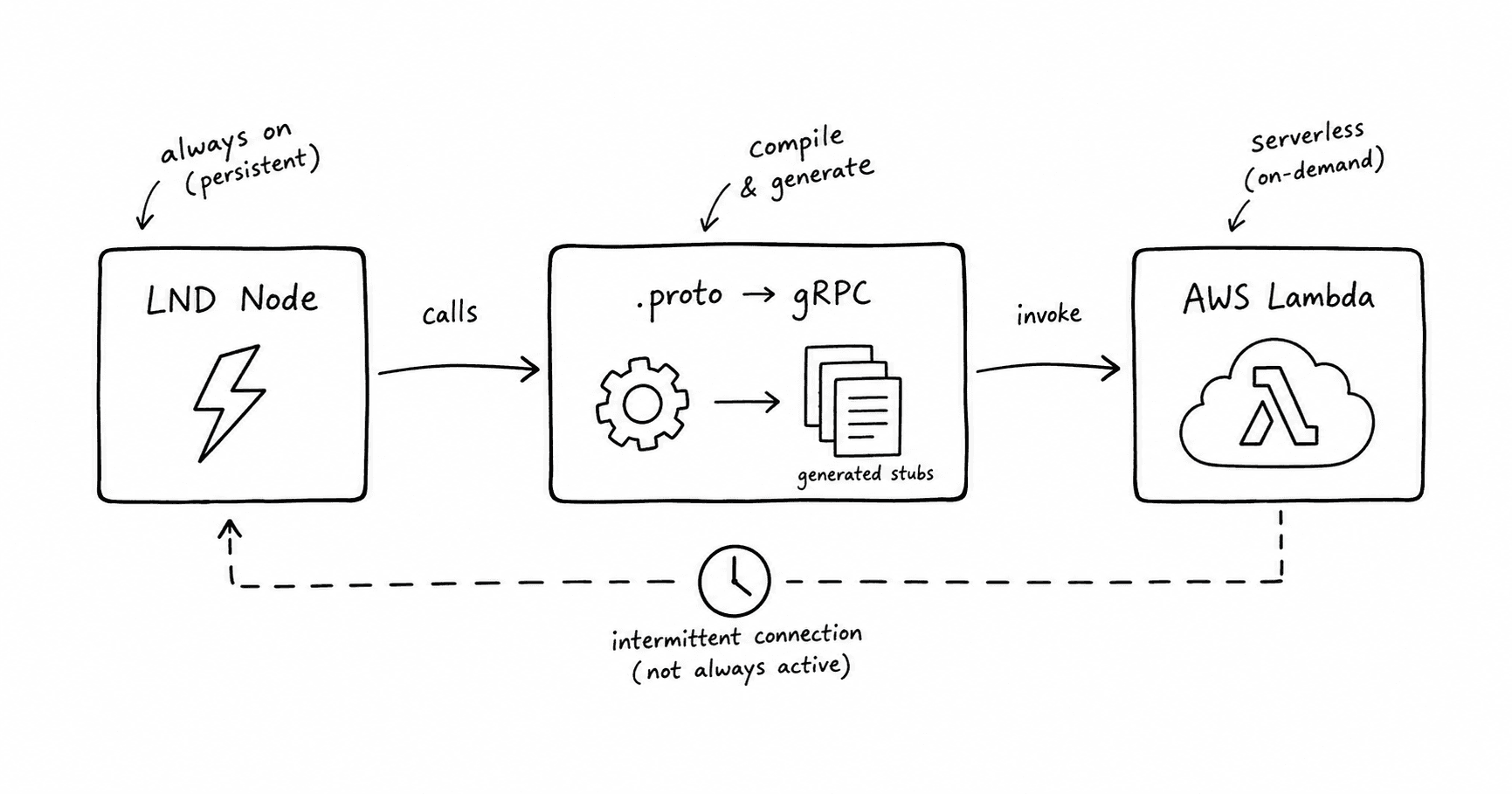
This post is about that gap — why gRPC calls to LND behave so differently in a serverless environment, and what it actually takes to compile, package, and run them from a Lambda function.
Why EC2 is easy and Lambda isn't
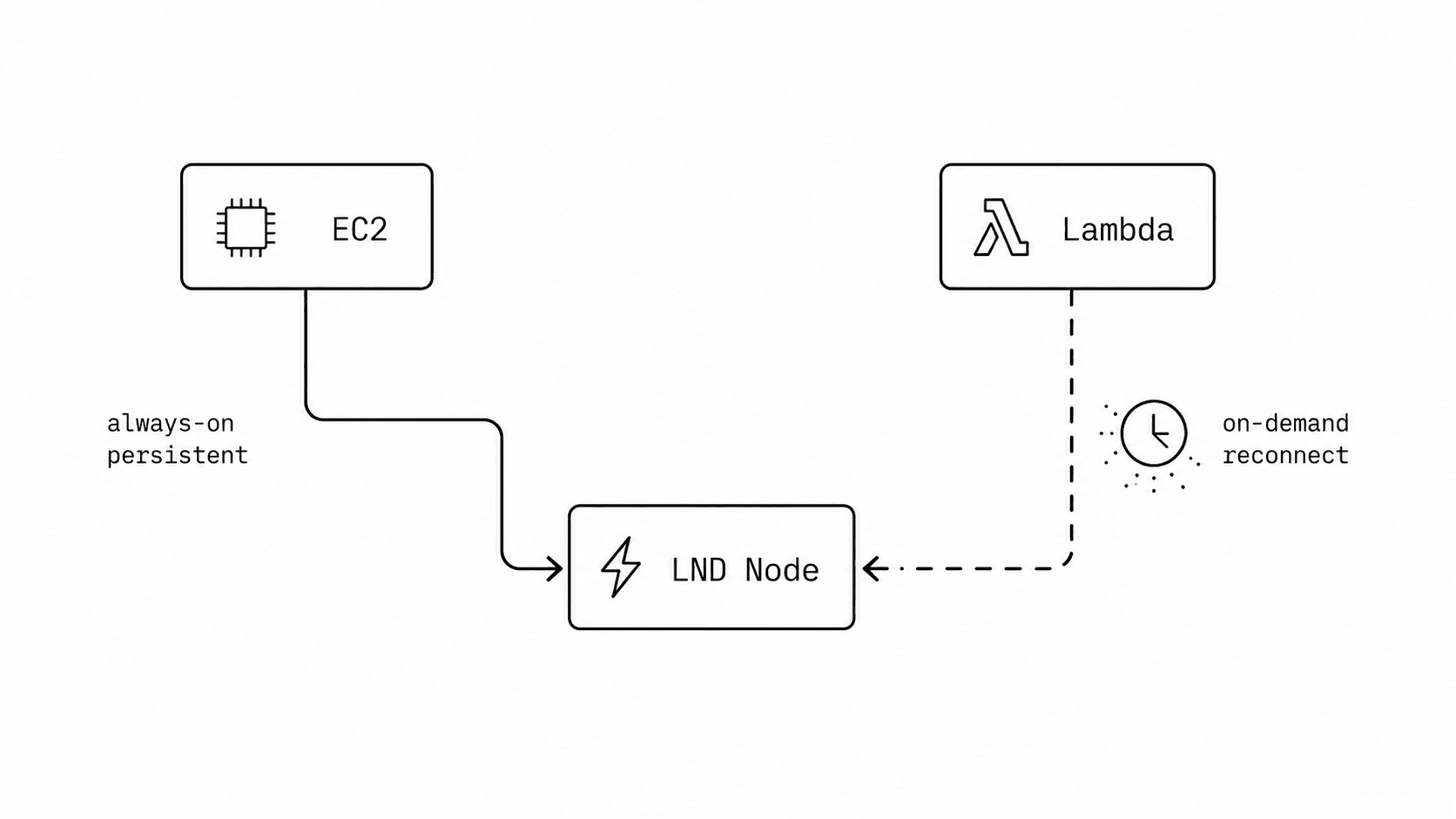
lncliand any long-running client work well against LND's gRPC endpoint because they live inside a normal, persistent process. Python is already installed, whatever libraries you need are already resolved, the binary compiled against gRPC's C core is already linked, and the process itself sticks around long enough to open a channel and keep it warm.
Lambda breaks almost all of those assumptions at once:
- There's no guarantee of what's pre-installed. You bring your own runtime and your own dependencies.
grpcioisn't a pure Python package — it ships compiled C extensions. If those extensions were built on your laptop and your laptop isn't running the same OS and glibc version as the Lambda execution environment, the import fails at runtime, not at build time.- Every dependency needs to be packaged and shipped with the function (or attached as a Layer), which means you're now responsible for producing a build that matches Lambda's actual runtime, not your local machine.
None of this is exotic — it's the same class of problem you'd hit packaging any C-extension-heavy library for Lambda. gRPC just makes it unavoidable, because there's no pure-Python fallback that gets you production-grade performance.
Step one: LND doesn't hand you a client, it hands you a contract
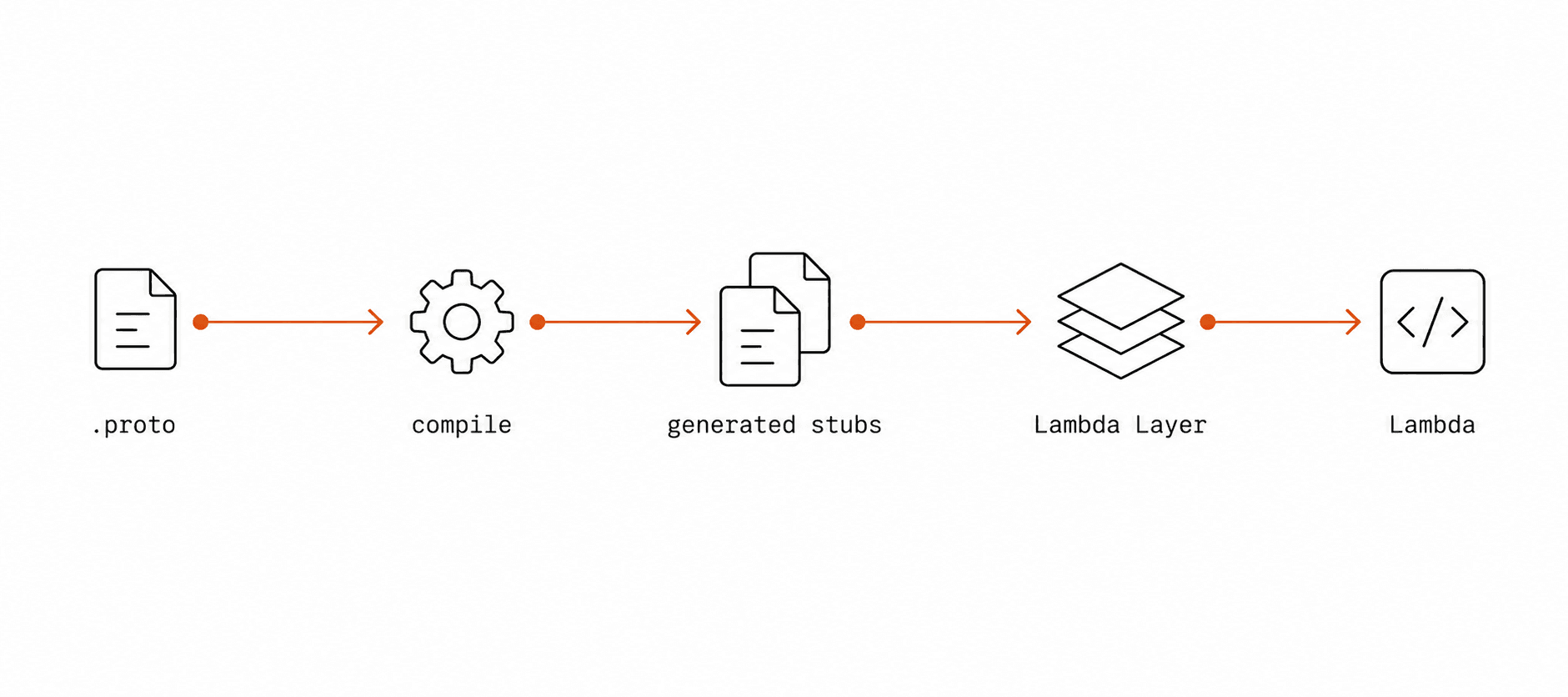
LND doesn't ship a Python SDK. What it ships instead is a set of .proto files — the same protobuf definitions that the Go server itself is built from. A .proto file is a formal contract: it lists the services, the methods on each service, and the exact shape of every request and response.
Nothing about that contract is Python-specific. It's language-neutral by design, which is the entire point of protobuf — the same lightning.protofile can generate a Go server, a Python client, a Rust client, or a JS client, and they'll all agree on the wire format without needing to read each other's source code.
To use it from Python, you compile it:
python -m grpc_tools.protoc \
  -I. \
  --python_out=. \
  --grpc_python_out=. \
  lightning.proto
That produces two files:
lightning_pb2.py— the message classes (your request and response objects)lightning_pb2_grpc.py— the client stub, i.e. the actual callable methods likeListChannels
Once these exist, calling LND from Python looks almost exactly like calling any other object — stub.ListChannels(ListChannelsRequest()) — the wire-level binary encoding, the HTTP/2 framing, all of it is handled underneath.
Step two: pin the Python version before you touch a single dependency
This is the step that's easy to skip and expensive to skip. grpcio and protobufboth ship precompiled wheels tied to a specific Python ABI. If the Python version you compile your dependencies with doesn't match the Python version Lambda actually executes with, you'll get import errors or, worse, errors that only show up when a specific code path runs.
The fix is boring but non-negotiable: decide on one Python version up front, and use that exact version everywhere — for compiling the proto files, for installing dependencies, and for the Lambda function's runtime setting. Don't let your local machine's Python version be the one that quietly decides this for you.
Step three: build for Lambda's OS, not your own
Even with the right Python version, there's a second mismatch waiting: your laptop almost certainly isn't running the same Linux distribution and glibc version that Lambda's execution environment runs. Since grpcio compiles native .so binaries, a wheel built on macOS or a different Linux distro can fail to load inside Lambda with an opaque ImportError, even though everything looked fine locally.
The reliable way around this is to never let your dependencies touch your host OS at all. Build them inside a container that matches Lambda's environment:
docker run --rm \
  -v "$PWD":/var/task \
  public.ecr.aws/lambda/python:3.X \
  bash -c "pip install -r requirements.txt -t python"
Using the official Lambda base image — rather than a generic Python image — matters here. It guarantees the glibc, the architecture, and the Python build all match what your function will actually run on. Everything installed this way is guaranteed to load correctly at runtime.
Step four: structure it as a Layer
Once you have working dependencies and generated stub files, the next decision is what belongs in a Lambda Layer versus what stays in the function itself.
A reasonable split:
Lambda Layers expect a specific folder shape:
my-layer/
└── python/
    ├── lnd_client.py
    ├── lightning_pb2.py
    ├── lightning_pb2_grpc.py
    └── lib/
        └── python3.X/
            └── site-packages/
                ├── grpc/
                ├── google/
                └── ...
Anything placed directly under python/becomes importable from any function the Layer is attached to, because Lambda merges the Layer's contents into /opt/python, which sits on the default import path. This is what lets you write import lnd_client in your function code as if it were a normal package.
The upside of this split is that regenerating your protobuf stubs or bumping a dependency version becomes a single Layer update, instead of a redeploy of every function that talks to LND.
Step five: authentication looks the same, the transport doesn't
Whatever changes about the runtime, LND's authentication model doesn't change at all. Every gRPC call needs two things:
- A TLS certificate, so the client trusts it's actually talking to your node.
- A macaroon, a scoped, signed token that grants (or restricts) permission for that call.
In Python, that combination gets built into a single set of channel credentials:
ssl_creds = grpc.ssl_channel_credentials(root_certificates=tls_cert)

def metadata_callback(context, callback):
    callback((("macaroon", macaroon_bytes.hex()),), None)

auth_creds = grpc.metadata_call_credentials(metadata_callback)
combined_creds = grpc.composite_channel_credentials(ssl_creds, auth_creds)

channel = grpc.secure_channel(f"{LND_HOST}:{LND_PORT}", combined_creds)
stub = lightning_pb2_grpc.LightningStub(channel)
The macaroon gets attached as request metadata on every call rather than sent once at connection time — which matters in Lambda's model, since you generally shouldn't assume a channel survives between invocations. Where you store the cert and macaroon is a separate decision (a secrets manager is the obvious choice over bundling them into the deployment package), but the authentication mechanics themselves are identical to what lncli is doing under the hood.
Where this usually goes wrong
A short list of the failure modes worth knowing about before you hit them:
- 01Protobuf API driftNewer major versions of the protobuf package have removed attributes that older generated code relies on. If you regenerate stubs with one protobuf version and run them against another, don't be surprised by AttributeErrors that have nothing to do with your actual logic.
- 02Native binary mismatchesCovered above, but worth repeating: if grpcio was compiled anywhere other than a Lambda-compatible environment, it fails at import time, not at build time.
- 03Networking, not codeIf LND sits in a private network, Lambda needs to be attached to a VPC with a route to it. A surprising number of “the call is hanging” issues are actually “the packet never left.”
- 04Package sizegrpcio and its native dependencies aren't small. It's worth checking your Layer size against Lambda's limits early, rather than discovering it at deploy time.
The short version
None of this is really about LND. It's the general shape of the problem any time you take a library built around native extensions and a persistent process, and try to run it inside a stateless, short-lived function. Pin your runtime, build for the target environment instead of your own machine, separate what's stable (dependencies, generated stubs) from what changes often (your actual logic), and the rest of it — the authentication, the actual calls — works exactly the way it does everywhere else.